Billing
Add balance with bKash, Nagad, Rocket or card
Enter an amount, pay on the PayStation page, done.
1 min read · Updated
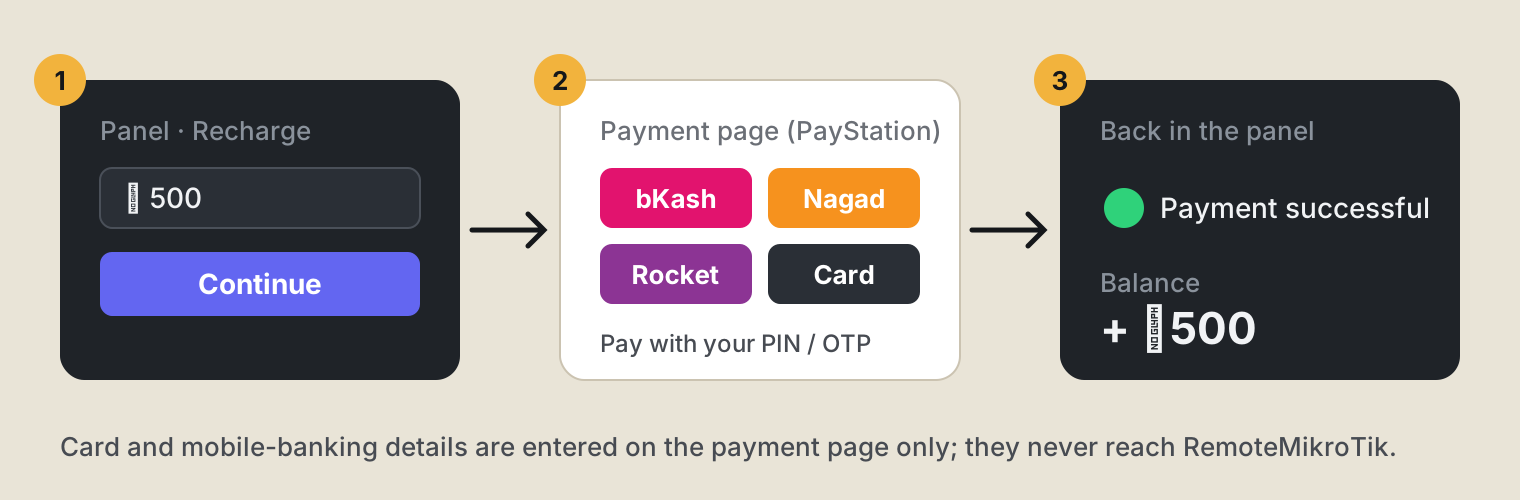
Payments go through PayStation, a Bangladeshi payment gateway. Your card or mobile-banking details are entered on PayStation's page only, never in our panel.
Steps
- Open Add balance in the menu (or press the balance at the top). Choose PayStation and enter the amount in taka (at least ৳100). Press Continue.
- On the payment page, choose bKash, Nagad, Rocket or card, and pay as usual with your PIN or OTP.
- You come back to the panel and see Payment successful. The balance is added at once.
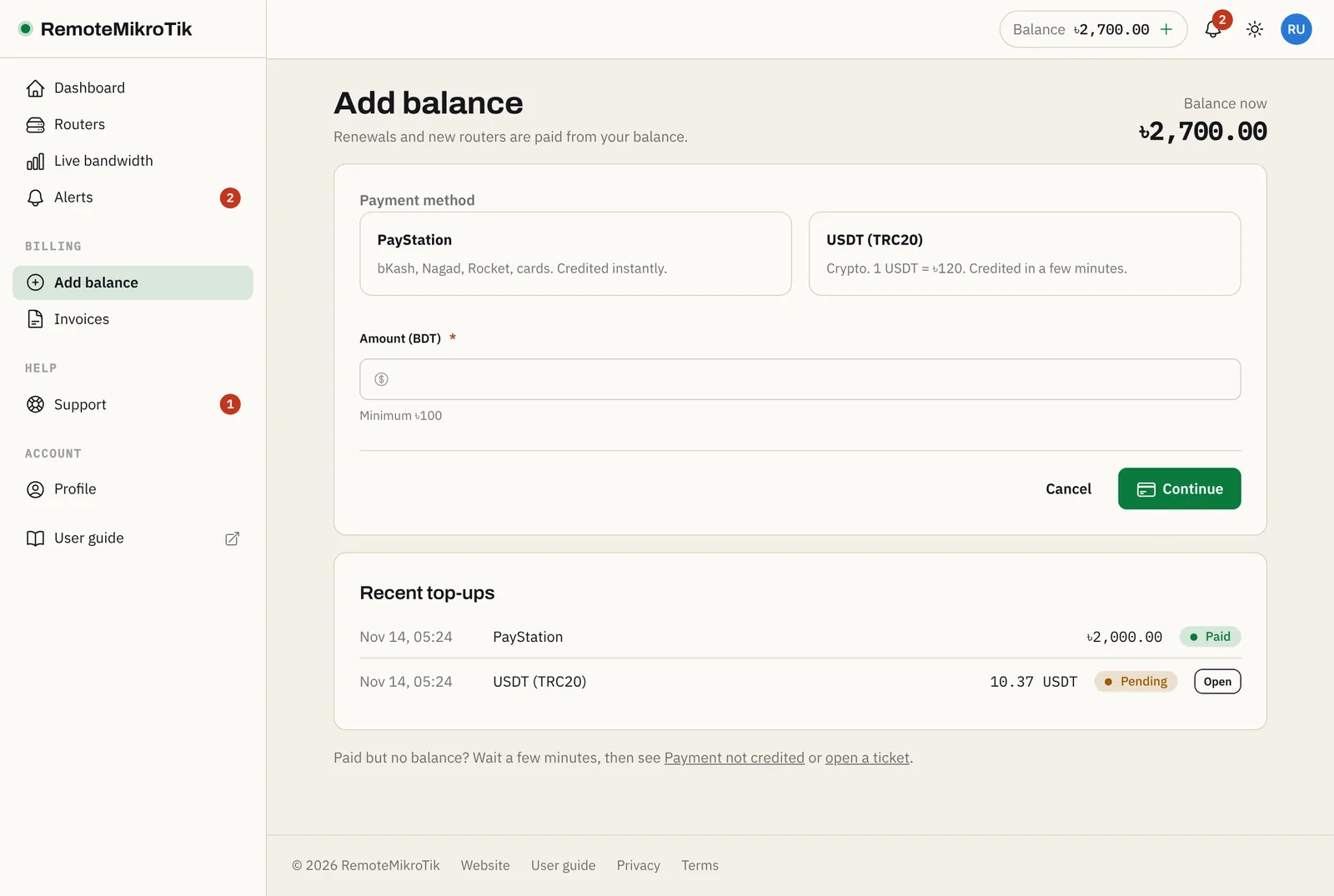
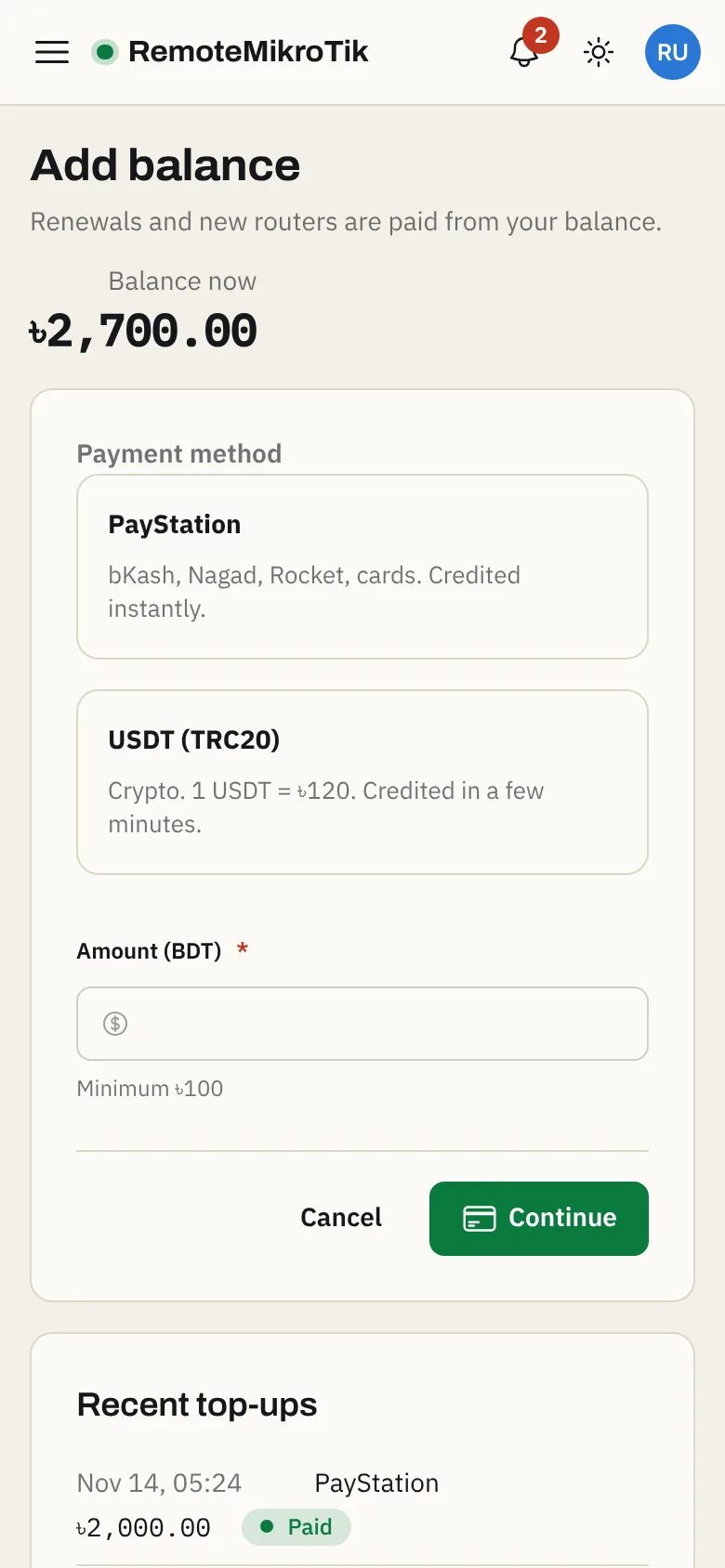
On a phone it looks the same, and bKash or Nagad can open their app to confirm.
Good to know
- Closed the payment page too early? We check unfinished payments in the background for 24 hours and add the balance when PayStation confirms it.
- Every top-up appears under Invoices.
- To prevent misuse, you can start a limited number of payments in a short time. If you see "You started several payments in the last 30 minutes", finish one of them or wait a little.
If something goes wrong
See Payment not credited.
Questions
What is the minimum amount?
৳100.
I paid but my balance did not change.
Wait a few minutes: we check unfinished payments automatically, even if you closed the payment page. If it still isn't there after 30 minutes, see Payment not credited.
Can I get a refund of my balance?
Balance is used for the service and is not refundable, except duplicate or mistaken payments. See our Terms.
Still stuck? Open a support ticket and tell us which step didn't work.