Billing
Pay with USDT (TRC20)
Send the exact amount shown, on TRC20, within 30 minutes.
1 min read · Updated
You can top up with USDT on the TRON network (TRC20), at 1 USDT = ৳120. Minimum 5 USDT, maximum 5000 USDT per payment.
Steps
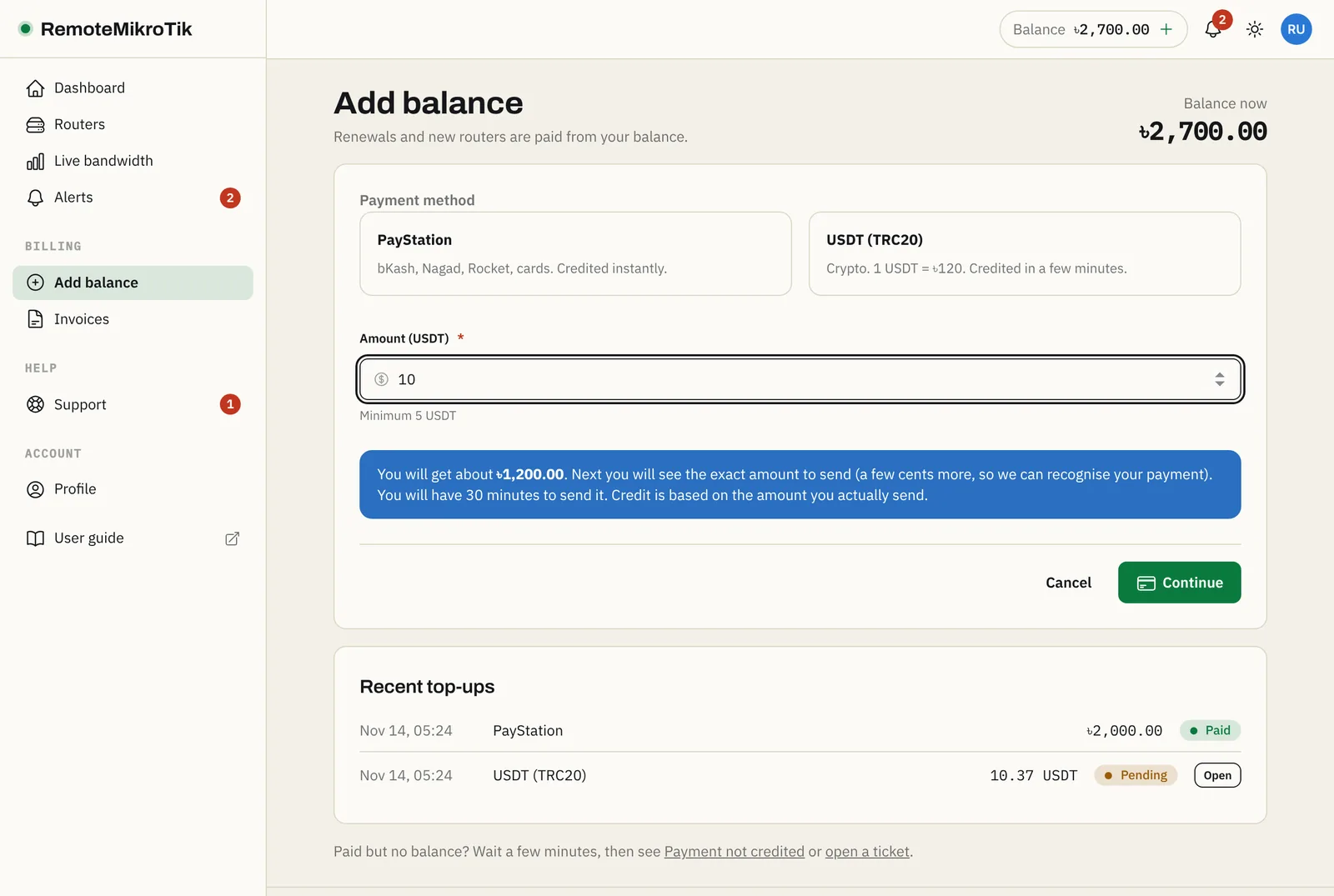
- Open Add balance, choose USDT (TRC20), enter the amount in USDT and press Continue. The panel shows how much taka you will receive.
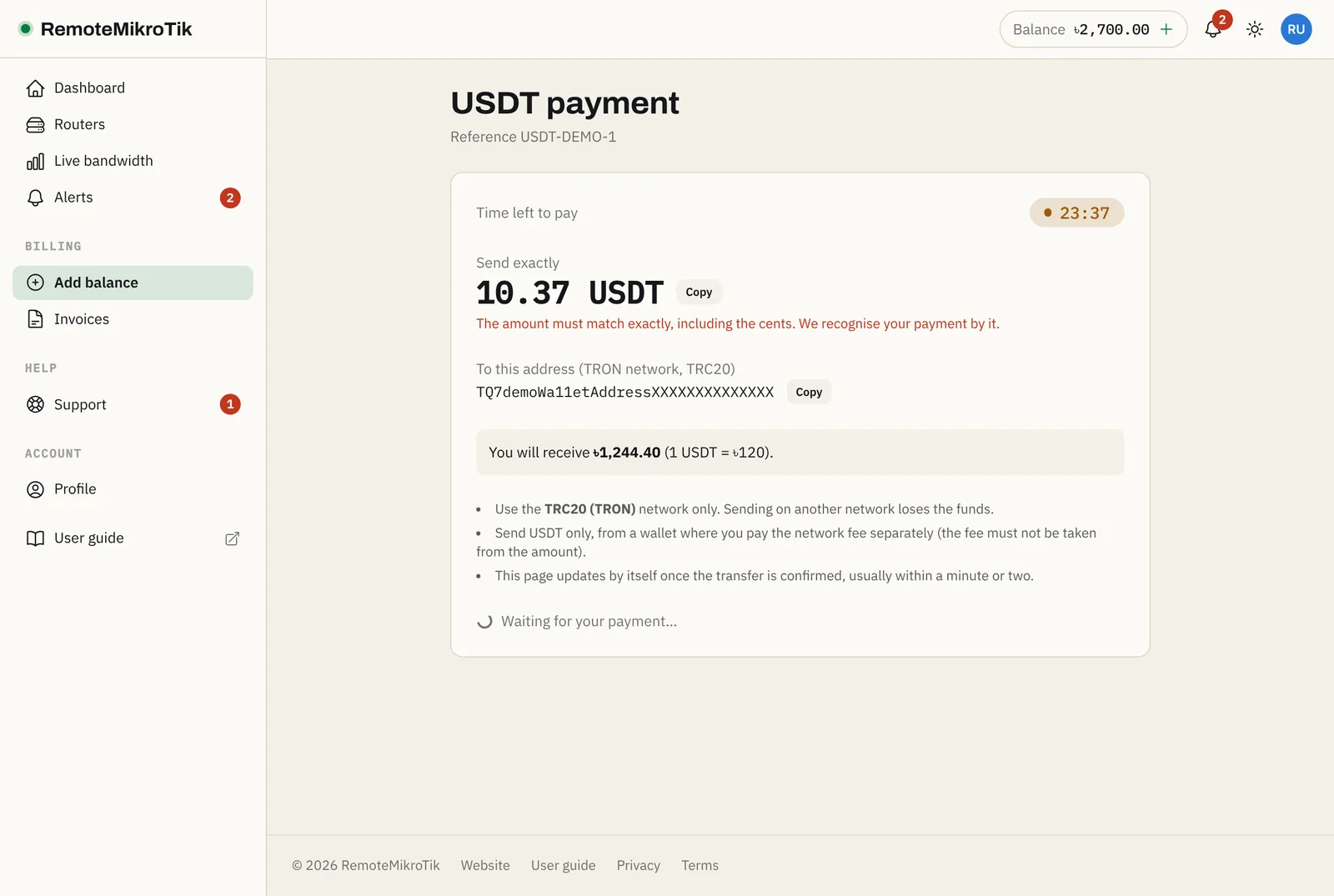
- The payment page shows the exact amount (with 4 decimals, for example
10.4271), our wallet address with a QR code you can scan in your wallet app, and a countdown of 30 minutes. Scan or copy the address, and type or copy the amount. - In your wallet, send USDT on TRON (TRC20): paste the address, enter the exact amount, and make sure the network fee is paid separately (in TRX), not taken from the amount.
- Keep the payment page open. It updates by itself when the transfer is confirmed, usually within a minute or two, and your balance goes up.
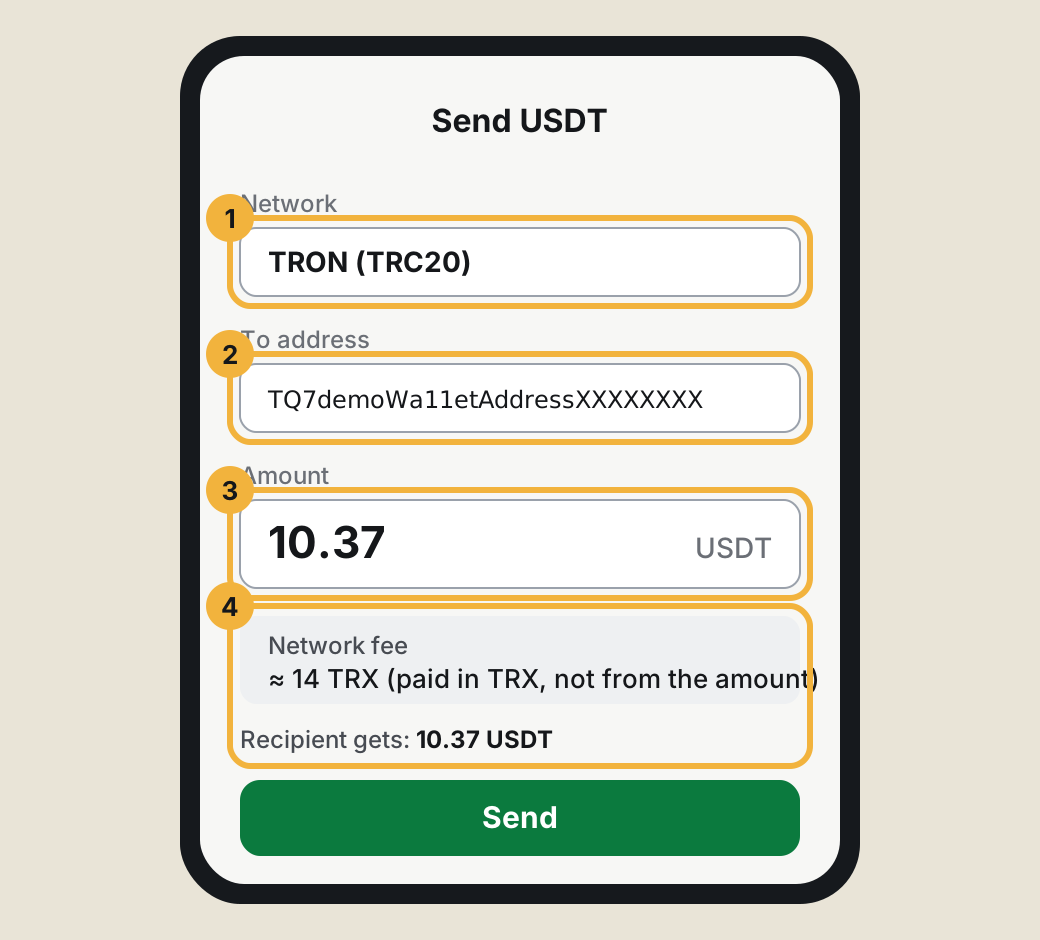
Important: Send exactly the amount shown, on TRC20 only, before the countdown ends. Another amount or network can't be matched to your payment.
If something goes wrong
- The countdown ended before I sent: start a new payment; you get a new exact amount.
- I sent, but the page still waits: transfers just before the end are still matched for a few minutes. Otherwise see Payment not credited and have your TXID ready.
- "You already have 2 USDT payments waiting": pay one of them, or wait until it expires.
Questions
Why does the amount have 4 extra decimals, like 10.4271?
The decimals identify your payment. We see transfers to our wallet on the blockchain and match them by exact amount and time. Always send the exact amount shown, with all 4 decimals.
Can I send from an exchange?
Only if the exchange lets you pay the network fee separately so that exactly the amount shown arrives. Many exchanges subtract the fee from the amount; then the amount won't match.
I sent the wrong amount or on the wrong network.
Open a billing ticket with the transaction ID (TXID). Transfers on another network (ERC20, BEP20) cannot be recovered by us.
Still stuck? Open a support ticket and tell us which step didn't work.