Telegram (Pro)
Offline alerts on Telegram
Know when a site is down before the customer calls.
1 min read · Updated
Included in Pro. The panel checks every router once a minute.
How it works
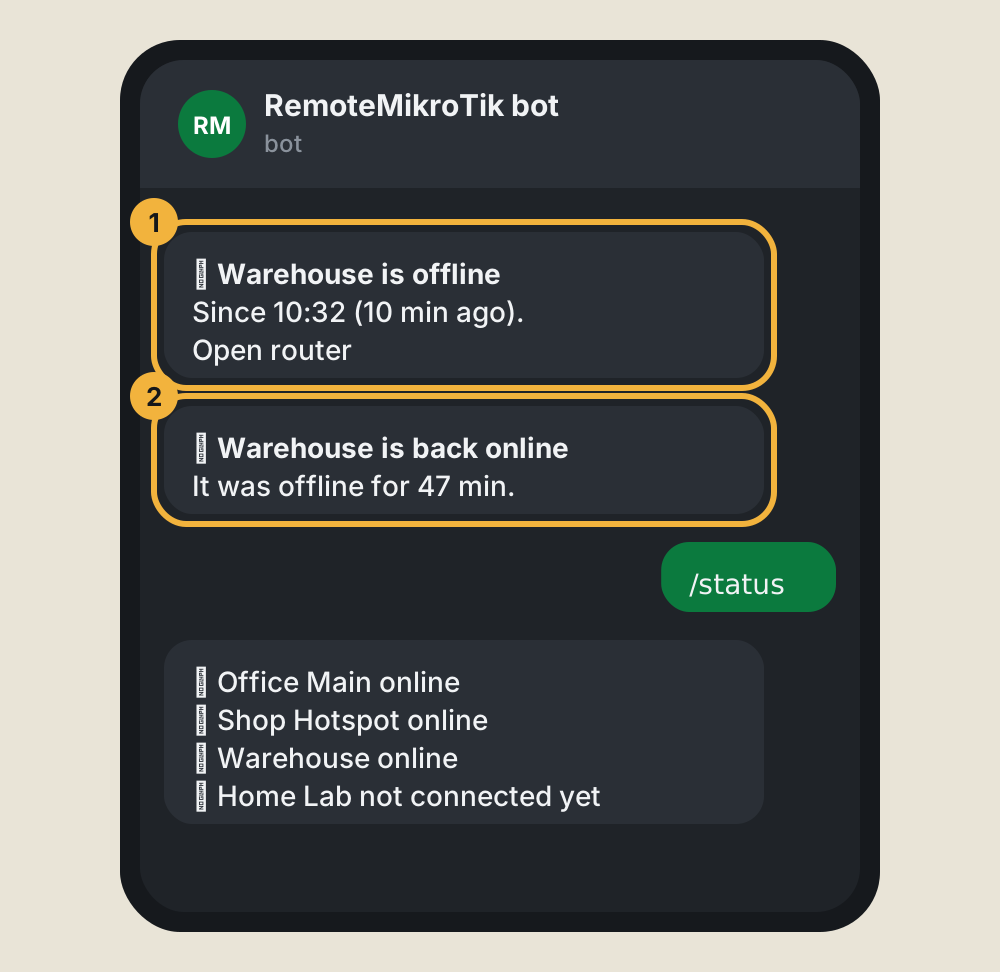
- A router that has been offline for 10 minutes sends you one message, with the time it went down and a link to its page.
- When it comes back, you get one more message with how long it was down.
- No repeats while it stays down. Every alert is also listed under Alerts in the panel.
Steps
- Connect Telegram, if you haven't yet.
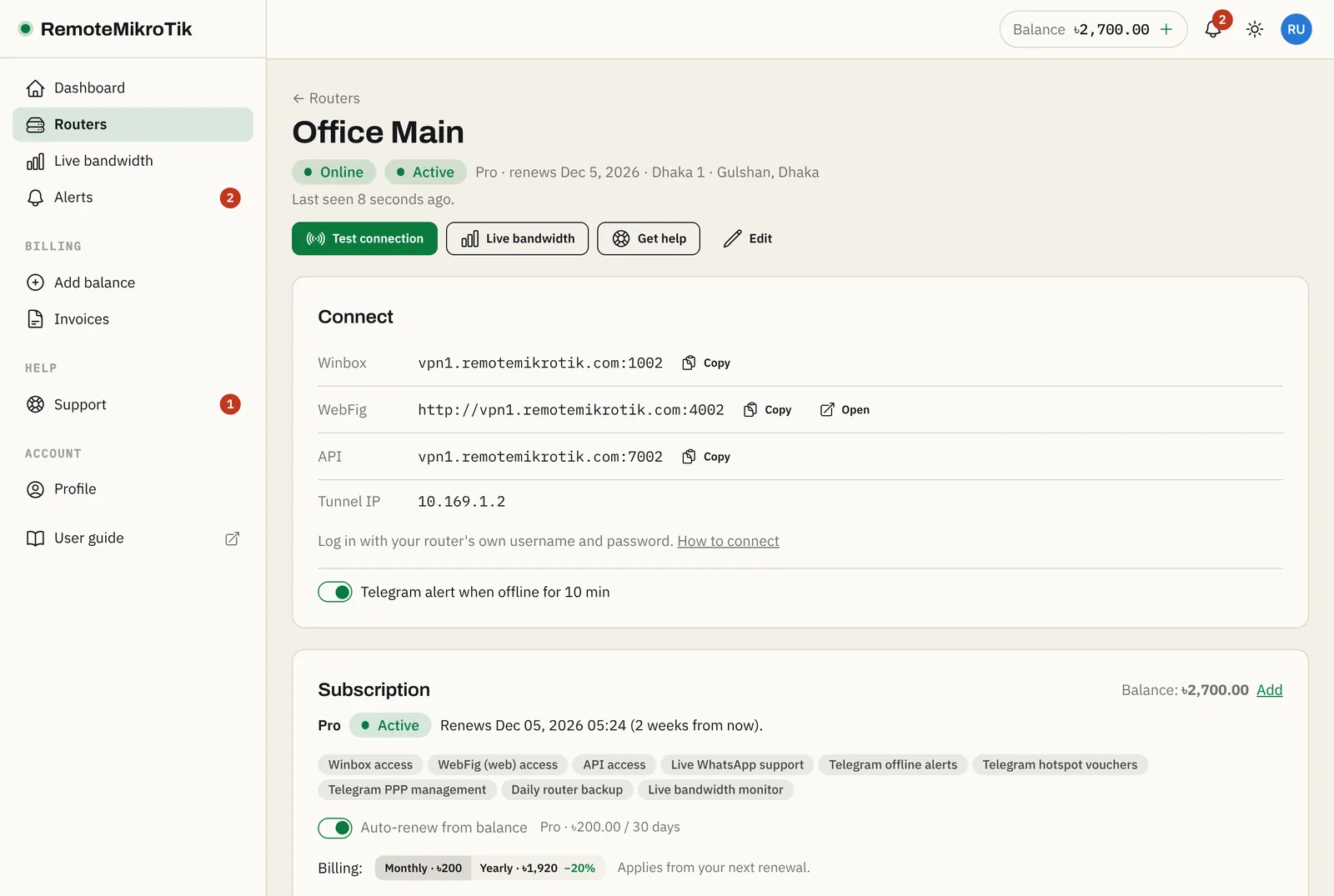
- Open each router's page and check that the Telegram alert when offline switch in the Connect card is on. It is on by default for Pro routers.
- To stop alerts for a while (for example during planned work), send
/pauseto the bot and/resumeafterwards.
What to do when you get an alert
Usually the site lost power or internet. See Router shows offline for what to check.
Questions
Why 10 minutes and not immediately?
Short internet hiccups and router reboots are common. Waiting a few minutes means you only hear about real outages.
I got no alert, but the router was down.
Check that Telegram is connected and not paused, that the router is on a plan with Telegram alerts, and that Offline alerts is switched on for that router.
Still stuck? Open a support ticket and tell us which step didn't work.