Using the panel
Daily router backups
A configuration export every night, the last 7 kept, and a one-line restore.
1 min read · Updated
Included in Pro. Every night the panel exports your router's configuration (/export) and keeps the last 7.
Steps
- Open the router's page and find Backups.
- Switch on Daily backup. The first backup runs the following night.
- To make one now, press Back up now (once every few minutes).
- Press Download next to a backup to save the
.rscfile.
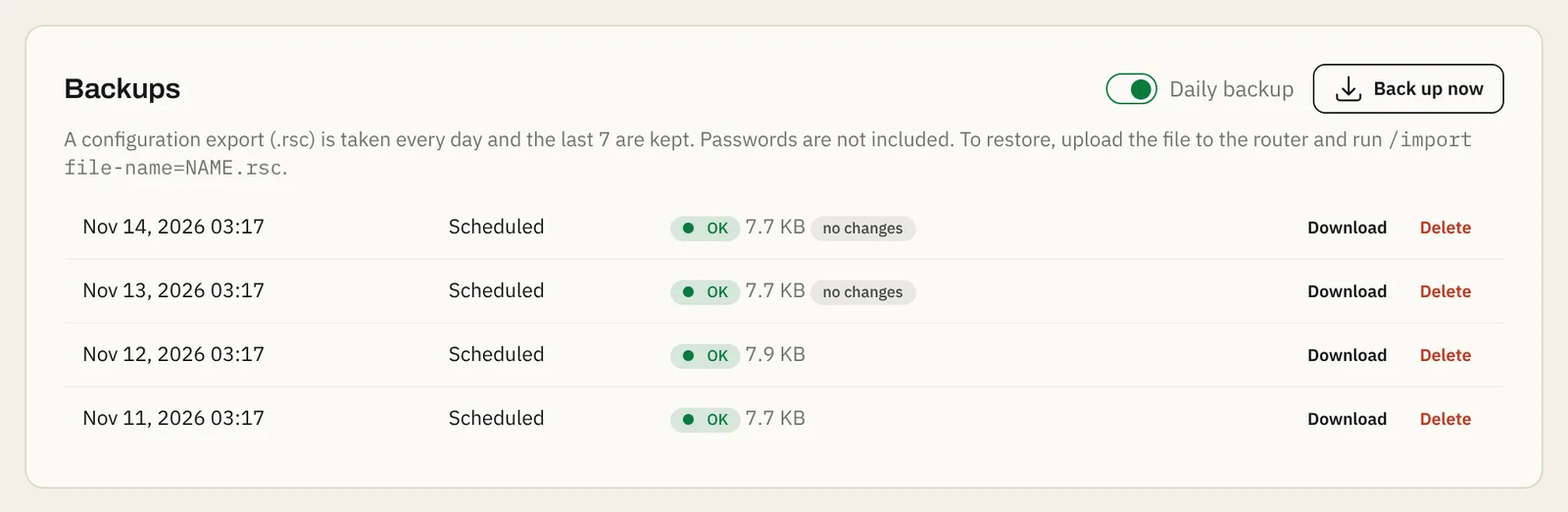
Reading the list
- OK with a size: the backup worked.
- no changes: the configuration is the same as the backup before, so you can see at a glance when something changed.
- Failed: the reason is shown next to it. You also get one message (and a Telegram alert, if connected) the first time a backup fails.
Restore a backup
- Download the backup.
- In Winbox, open Files and drag the
.rscfile into it. - In New Terminal, run:
/import file-name=office-main-20261114-0317.rsc(use your file's name).
Important: Importing on top of an existing configuration can create duplicates or conflicts. For a full restore, reset the router to no default configuration first (
/system reset-configuration no-defaults=yes), connect with Winbox by MAC address, then import.
If something goes wrong
- "Backups are paused: the router's SSH key changed": see Backups paused.
- "SSH login to the router failed": run the setup script again; it restores the panel's user.
- Took too long: very large configurations can time out; try Back up now again.
Questions
Are passwords included in backups?
No. The export is made with the panel's limited user, so passwords and other sensitive values are left out. After a restore, set user and Wi-Fi passwords again.
What is the difference to a .backup file?
A .backup file is a binary copy that only restores on the same model. Our .rsc export is plain text: you can read it, compare it, and import it into another router.
Where are backups stored?
On our server, not on your router. The newest backups are kept and older ones are removed automatically.
Still stuck? Open a support ticket and tell us which step didn't work.