Support & account
Support tickets
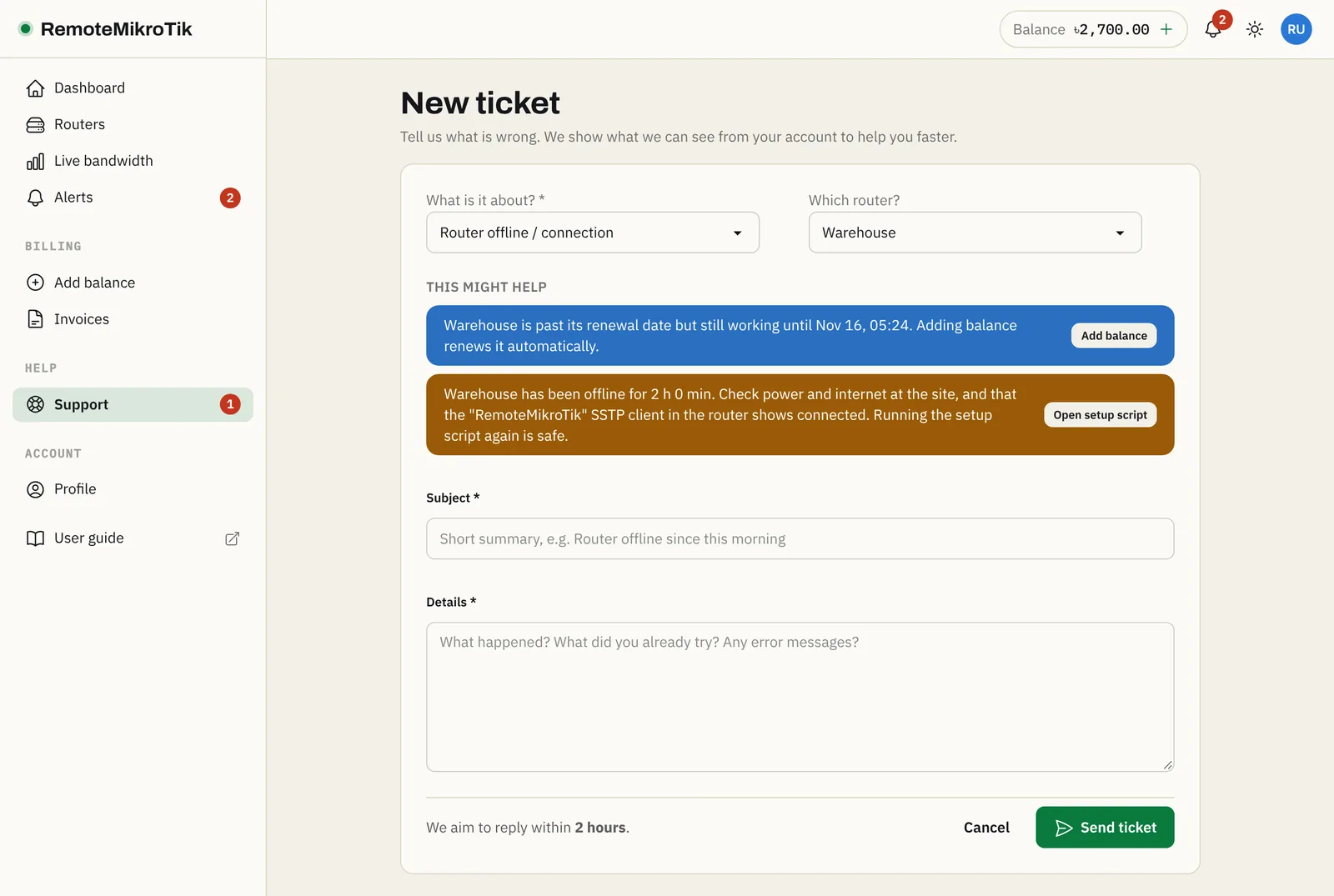
Pick the router and the topic; we see its status with your message.
1 min read · Updated
Every plan can open tickets. Open Support in the menu and press New ticket, or press Get help on a router's page.
Steps
- Choose What is it about? (router offline, setup, payments, plans, Telegram/WhatsApp, backups, other) and Which router?, if it is about one.
- Read the suggestions that appear. The panel checks the router while you type and often has the fix, for example the router is offline: check the SSTP client.
- Write a short Subject and describe the problem: what you expected, what happened, and since when.
- Press Send. You get a ticket number and an alert when we reply.
Following a ticket
Open Support to see all of them and their status:
- Waiting for support: we have it.
- Waiting for you: we answered or asked something. Please reply.
- Resolved: press It's solved, or we mark it resolved after 7 days without a reply. Tell us if the answer helped (👍 / 👎).
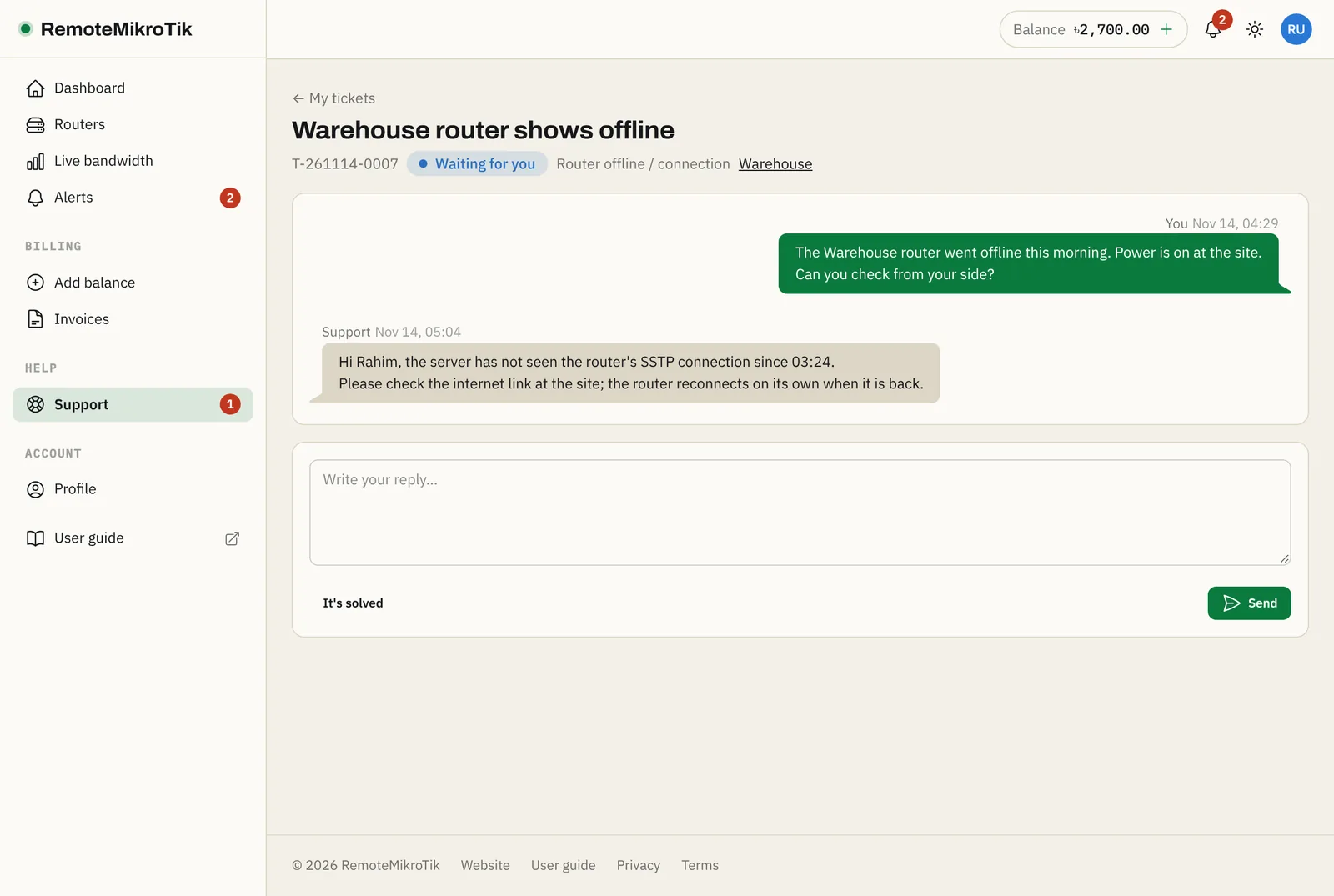
Tip: When you open a ticket about a router, we automatically see its connection status, plan and recent problems, so you don't have to explain them.
Need an answer right now? On Standard and Pro, use WhatsApp support.
Questions
How fast do you reply?
Our target is 4 hours for Pro, 24 hours for Standard and 72 hours for Free. Urgent problems, like a paid router being offline, are handled first.
How many tickets can I have open?
Up to 5 at a time. Close the ones you no longer need, or add to an existing ticket.
The ticket is resolved but the problem is back.
Just reply to it. Replying within 14 days reopens the ticket.
Still stuck? Open a support ticket and tell us which step didn't work.