Billing
Renewal, grace period and suspension
Routers renew themselves; a short balance gives you 3 extra days.
1 min read · Updated
Automatic renewal
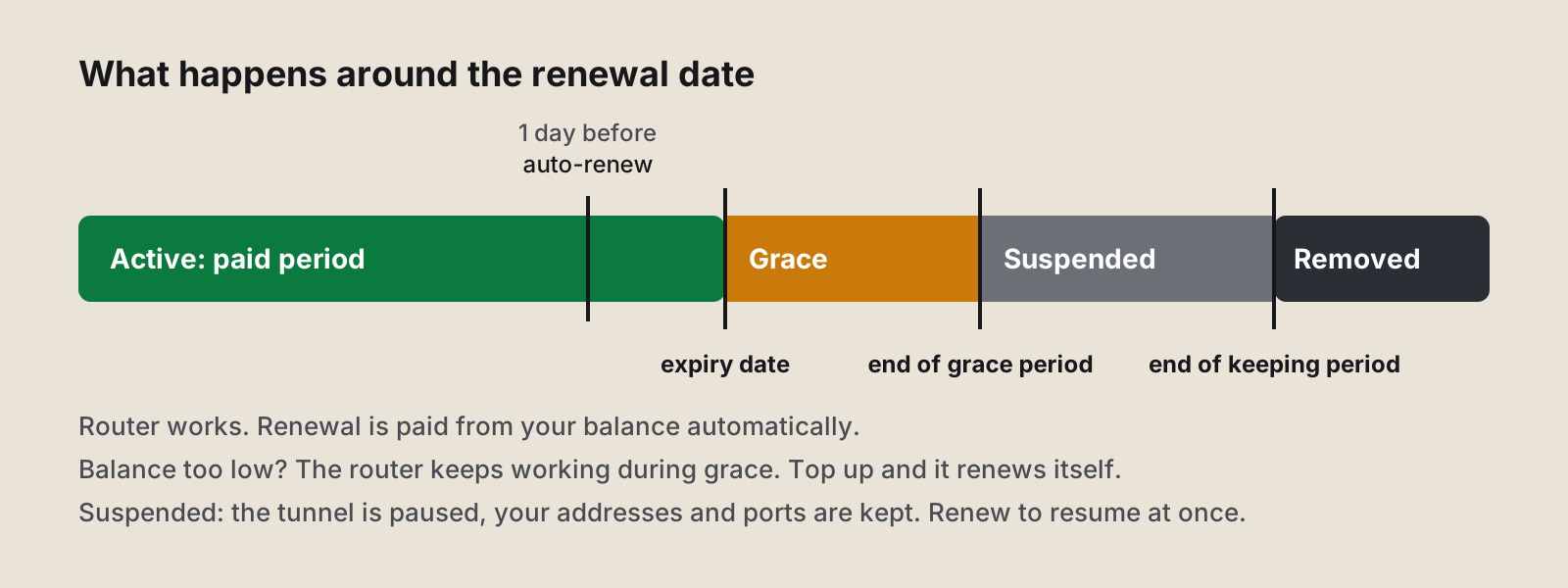
With Auto-renew from balance on (the default), each router renews itself 24 hours before it expires, paid from your balance. You see the charge under Invoices. Nothing else to do.
3 days before, if your balance isn't enough, you get a reminder in the panel and by email, and the dashboard shows it under Needs attention.
Grace period: 3 days
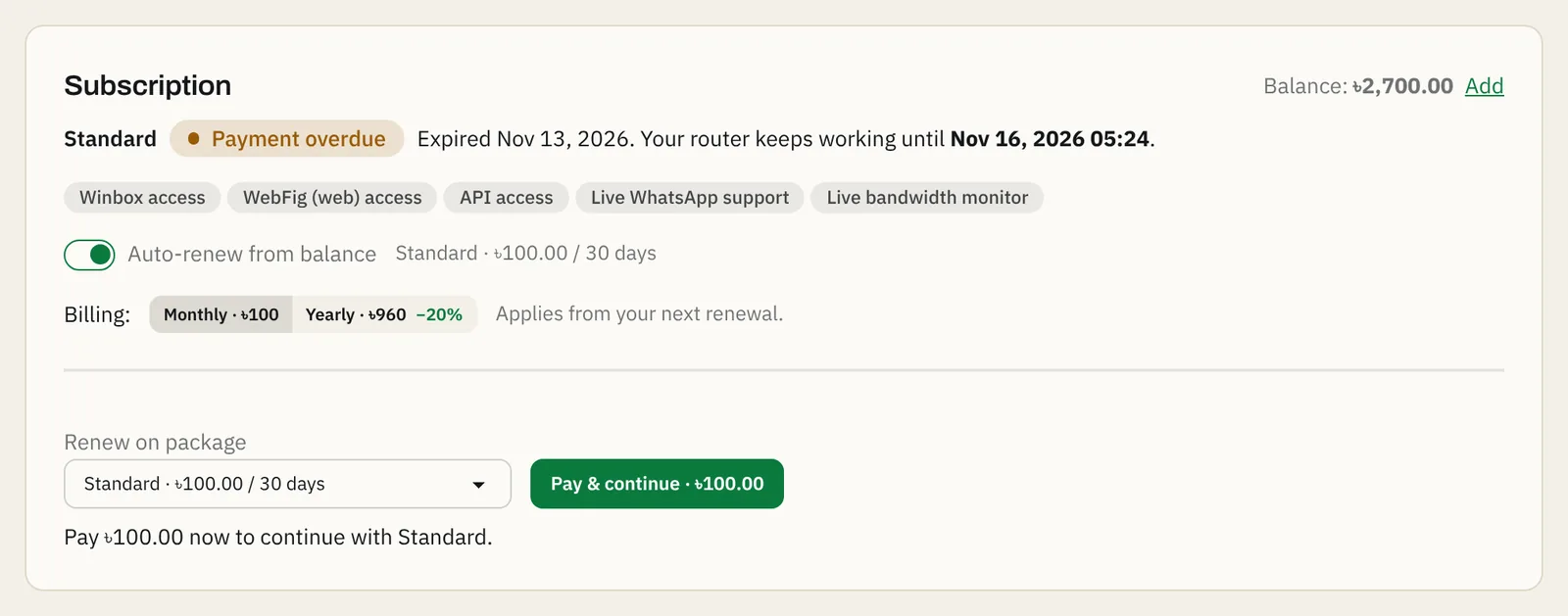
If the renewal can't be paid, the router keeps working for 3 days. Its status shows payment overdue. As soon as you add balance, it renews by itself, with no gap.
Suspended
After the grace period, the router is suspended: the tunnel is paused, so Winbox and the tools stop working. Your addresses and ports are kept.
To bring it back, add balance and press Renew now on the router's page (or choose another plan under Change package and press Pay & continue). It works again within a minute.
Removed
If a suspended router isn't renewed within 14 days, it is removed from our servers, and its addresses can go to someone else.
Free plan
Free routers renew for free while they are used: the router must connect at least once every 30 days. Unused Free routers are removed.
Questions
Will I lose my Winbox address if the router is suspended?
No. Suspended routers keep their addresses and ports. Renew within 14 days and everything works again at once.
Can I turn off auto-renew?
Yes, on the router's page under Subscription. The router then stops at the end of the period, with no grace period.
Do I get a reminder?
Yes. 3 days before a renewal that your balance can't cover, we tell you in the panel and by email.
Still stuck? Open a support ticket and tell us which step didn't work.