Getting started
Run the setup script on your MikroTik
Copy, paste into Winbox → New Terminal, press Enter. About a minute.
2 min read · Updated
The script connects your router to our server. You run it once, on the router, from a place where you can already reach it (for example on site, or through your current remote access).
Steps
- Open your router's page in the panel and scroll to Router setup. Press Copy script.
- Open the router in Winbox the usual way and click New Terminal in the left menu.
- Paste the script into the terminal (right-click → Paste, or Ctrl+V) and press Enter.
- Wait 10 to 30 seconds, then check the tunnel: type
/interface sstp-client print. The RemoteMikroTik line should show R (running). - Back in the panel, press Test connection on the router page. It shows the router's name, RouterOS version and uptime.
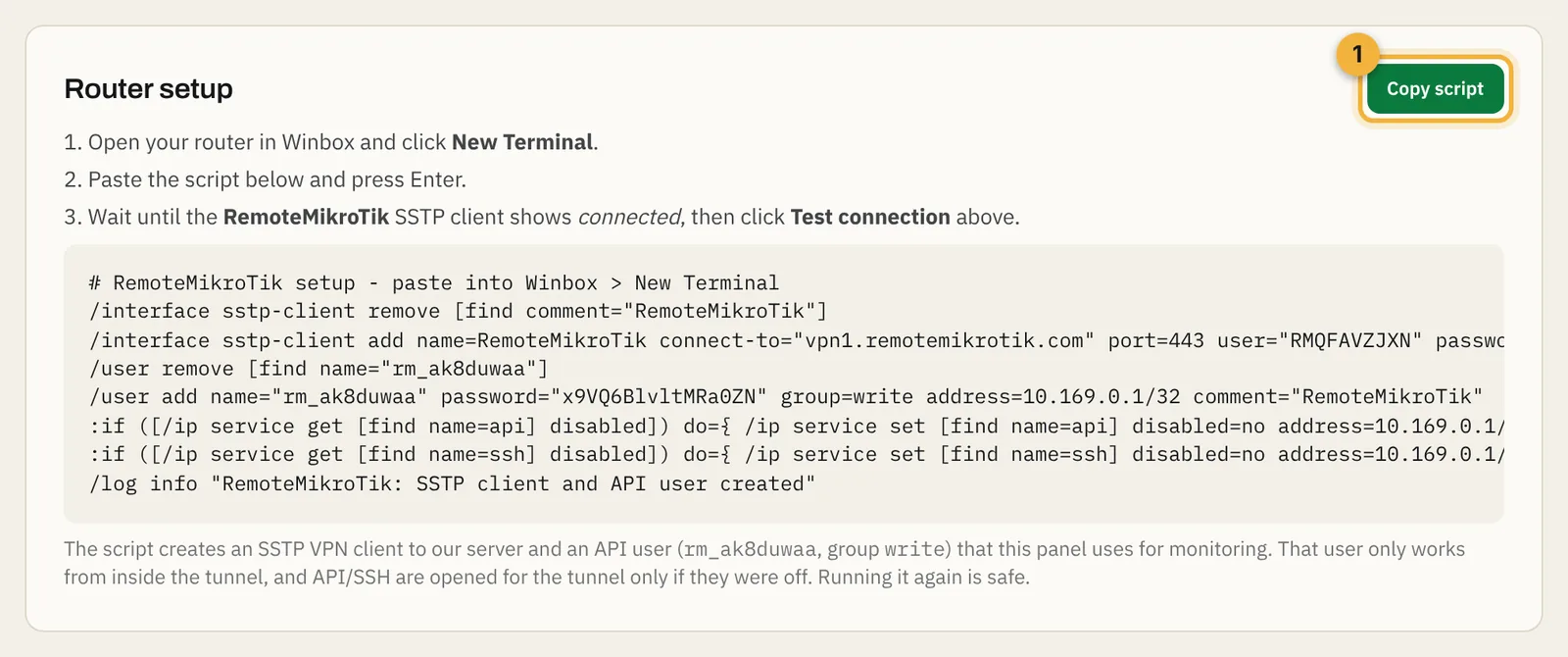
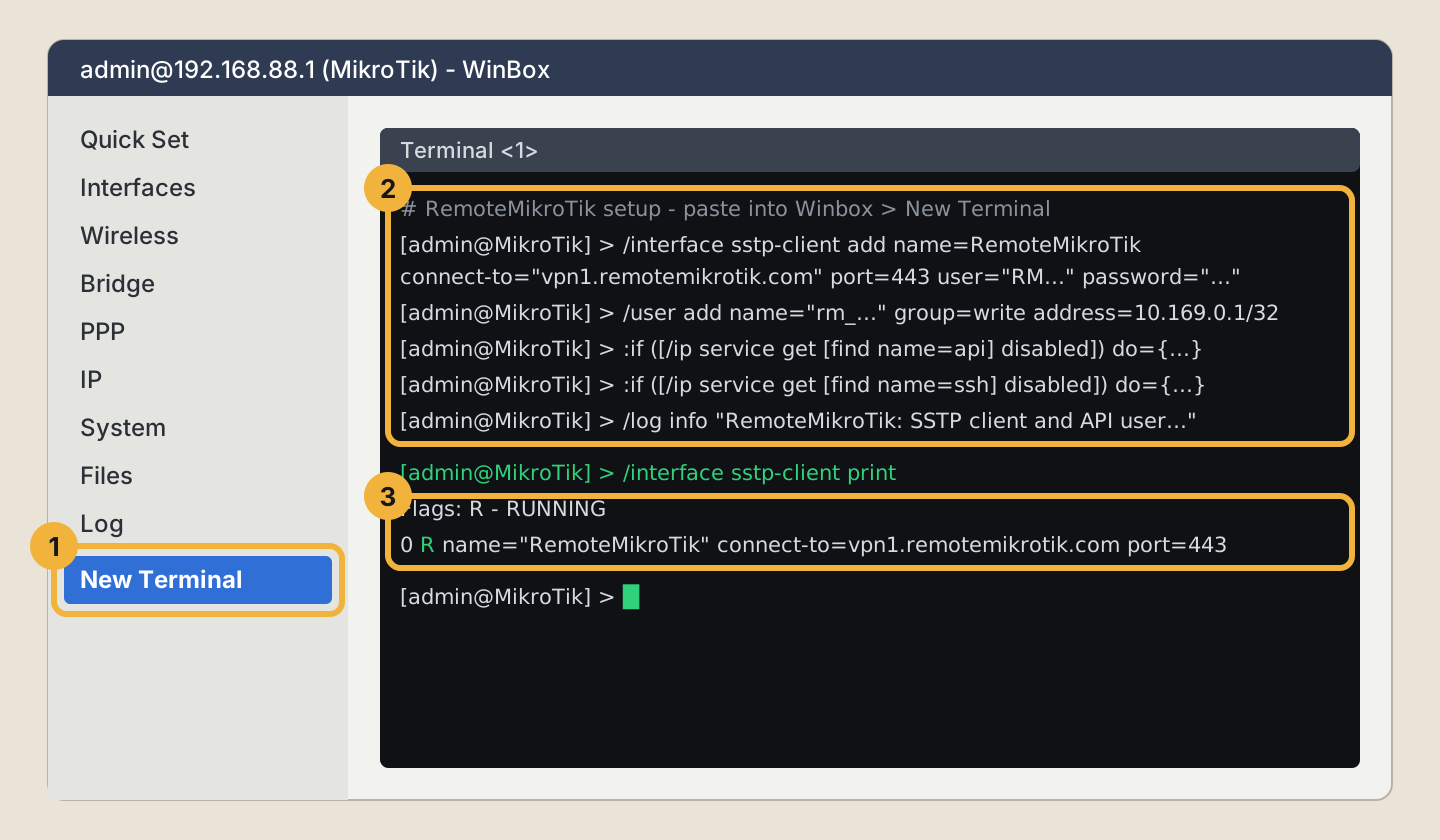
What the script does
| Line | What it does |
|---|---|
/interface sstp-client add … |
Creates the encrypted tunnel to our server on port 443 |
/user add … group=write address=…/32 |
Adds the panel's own user, which only works from the tunnel |
:if ([/ip service get [find name=api] disabled]) … |
Turns on the API for the tunnel, only if it was off |
:if ([/ip service get [find name=ssh] disabled]) … |
Turns on SSH for the tunnel (used by daily backups), only if it was off |
Your own admin user, firewall and other settings are not touched.
If something goes wrong
- The SSTP client stays without R: the router can't reach our server. Check that the router has internet (
/ping 8.8.8.8) and that outgoing TCP port 443 isn't blocked. See Router shows offline. - "failure: already have …": you probably edited the script. Copy it again from the panel and paste it unchanged.
- Test connection says the router refused the login: see The router refused the panel's login.
- API or SSH limited to other addresses: if you already limit them to your own networks, add the tunnel gateway shown in the script to that list.
Questions
Is it safe to run the script twice?
Yes. It first removes the RemoteMikroTik SSTP client and panel user it made before, then creates them again.
Does the script change my firewall, NAT or passwords?
No. It adds an SSTP client and a separate panel user, and turns on API and SSH for the tunnel only if they were off. Your own users and rules stay as they are.
How do I remove RemoteMikroTik from the router?
Delete the interface named RemoteMikroTik under Interfaces, and the user starting with rm_ under System → Users.
Still stuck? Open a support ticket and tell us which step didn't work.