Billing
Invoices and transaction history
Every taka in and out of your balance.
1 min read · Updated
Open Invoices in the menu. Each line is one change to your balance.
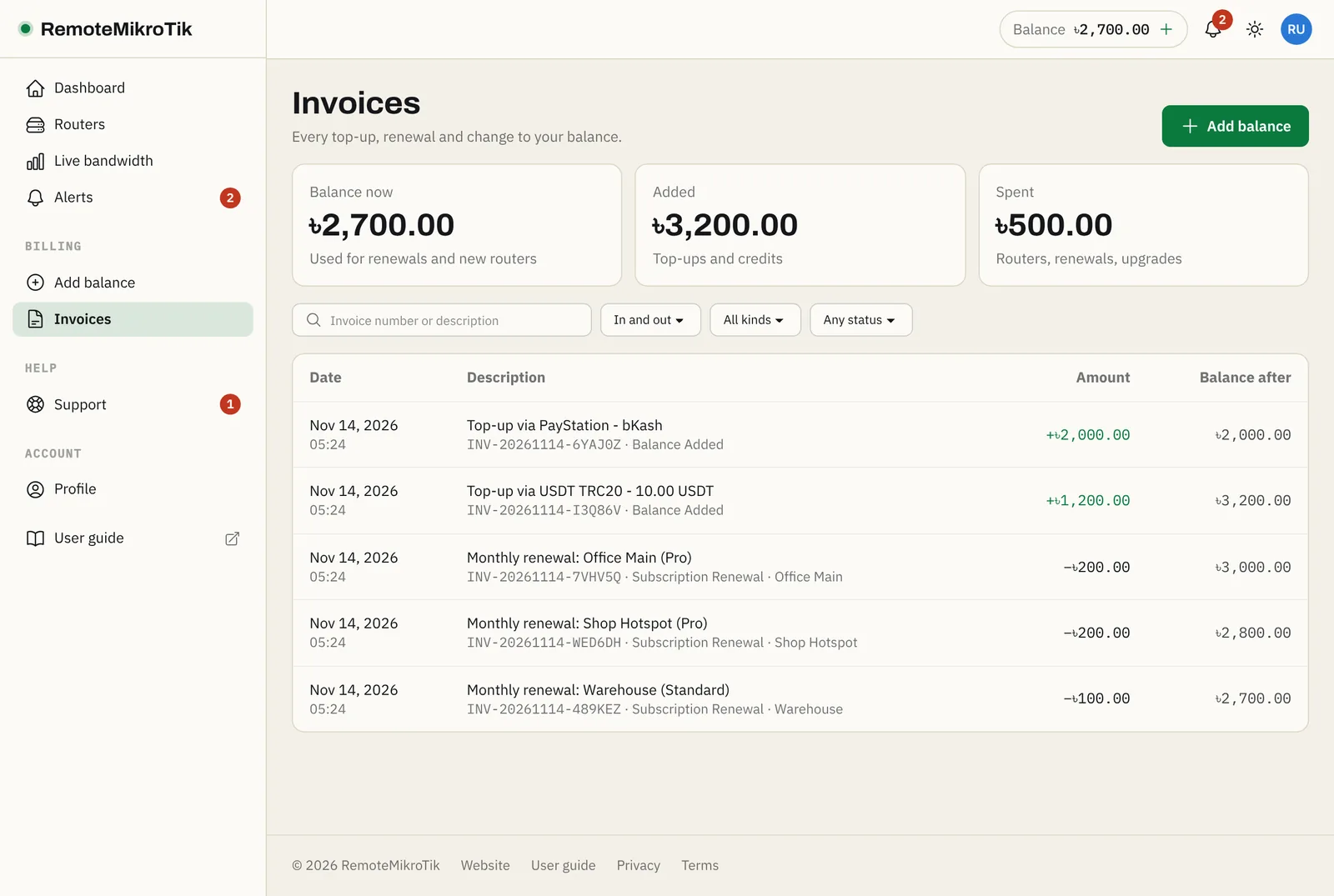
What you see
- Invoice # and date.
- Description: for example Top-up via PayStation - bKash or Monthly renewal: Office Main (Pro).
- Type: credit (money in) or debit (money out).
- Amount and the Balance after it.
- Status: completed, pending or failed.
At the top: total added, total spent, and your current balance.
Find something
Use Search (invoice number or description), and filter by Type, Transaction type or Status. Clear filters shows everything again.
Payment not showing? See Payment not credited.
Still stuck? Open a support ticket and tell us which step didn't work.