Troubleshooting
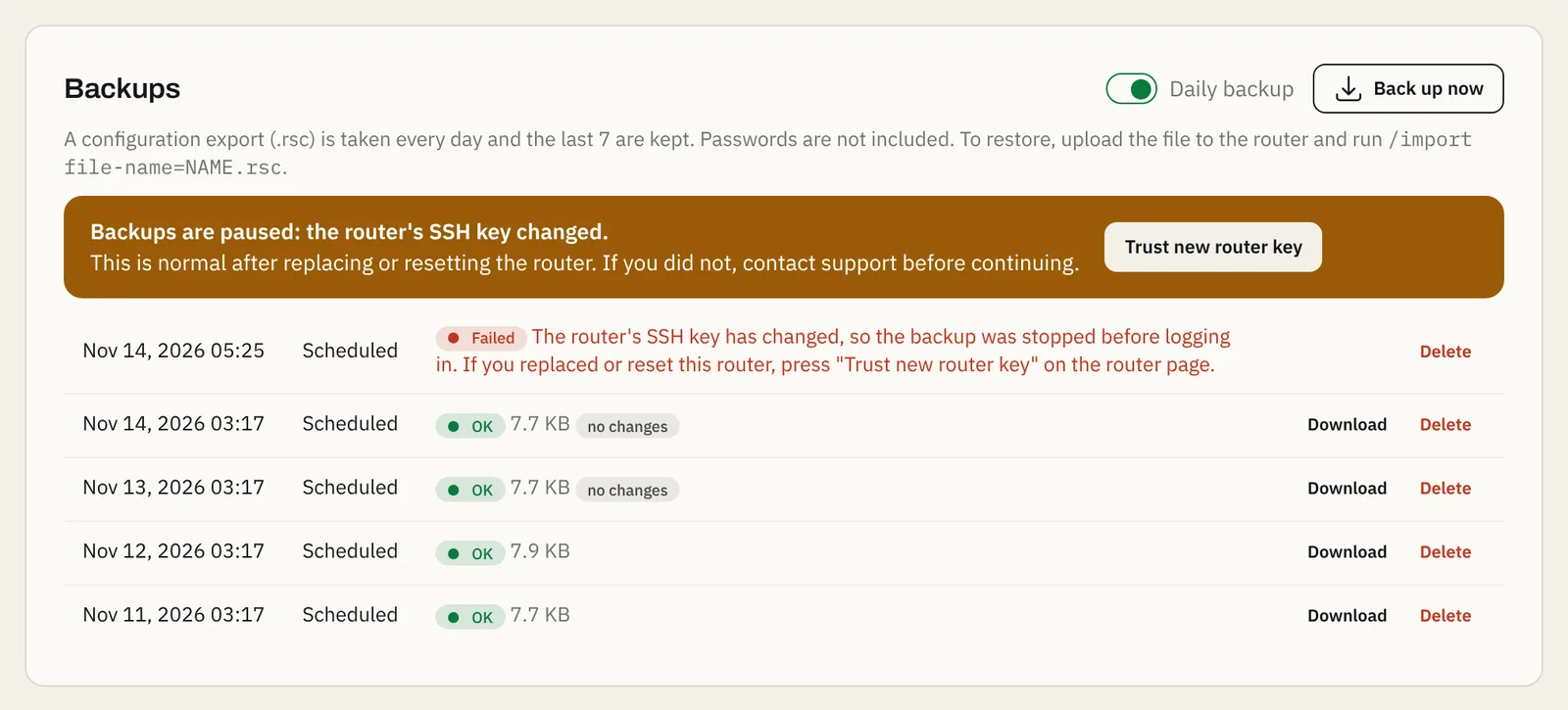
Backups paused: the router's SSH key changed
Normal after a reset or replacement; one button to continue.
1 min read · Updated
Every router has its own SSH key, like a fingerprint. The panel remembers it on the first backup. If a later backup sees a different key, it stops before logging in, so the panel's password is never sent to a device that may not be your router.
When this is normal
- The router was reset (
/system reset-configuration) or netinstalled. - The router was replaced by another one, using the same setup script.
Steps
- Make sure you (or your team) really reset or replaced this router.
- On the router's page, under Backups, press Trust new router key and confirm.
- Press Back up now, or wait for the night's backup. The panel remembers the new key.
Important: If the router was not reset or replaced, don't press the button. Open a ticket first; we check what answered on your router's address.
Still stuck? Open a support ticket and tell us which step didn't work.